
An offline capable web app is a normal web app that keeps working when the connection drops. It loads its screens from the device, saves what staff enter, and sends it to the server once the network returns. It runs in the browser, so there is nothing to download from an app store.
It is not automatic, though. Offline behaviour has to be designed, scoped and tested. Below we explain how it works, where it pays off for a Singapore business, what goes wrong, and how to decide how much offline you actually need.
TL;DR
- An offline capable web app is usually a Progressive Web App (PWA): a service worker stores the screens, and a local database stores the data entered.
- Offline is a design choice. Sync rules decide whether it works in real life, not the caching alone.
- Start small: pick the few screens and actions that must work without a signal, not the whole app.
- You need it where signal is unreliable: basements, warehouses, event halls, lifts, outdoor sites, or a shop whose Wi-Fi sometimes fails.
- We review your workflow for free and tell you the simplest suitable route before any build.
Table of Contents
- What “offline capable” really means
- How it works under the bonnet
- The three problems that break offline apps
- Offline capable web app or native app?
- Where Singapore SMEs actually need offline
- Start with the smallest offline scope
- Security and data on the device
- Our view: the simplest suitable route
- Ready products that already handle the workflow
- Book a free app fit review ↗
- Questions to ask any developer before you sign
- FAQ
- Sources
What “offline capable” really means
People use the phrase for three quite different things. It helps to separate them before you ask anyone for a quote.
- Opens offline. The app screen appears even with no signal, perhaps with a message that data cannot be refreshed. This is the minimum.
- Reads offline. Recent lists, such as today’s jobs, a price list or a guest list, are stored on the device and can be browsed.
- Writes offline. Staff can add records, tick items or submit forms. These wait in a queue on the device and sync later.
Level 3 is what most people mean by an offline data collection app, and it is also where the real work sits. Reading stored data is easy. Accepting changes in two places and keeping them consistent is not.
The guidance from MDN on service workers describes the basic idea: a service worker lets an app use cached assets first, so it gives a default experience even when offline, then fetches fresh data from the network. This is often called “offline first”.
How it works under the bonnet
You do not need to build this yourself, but knowing the parts helps you judge a proposal.
The app shell and the service worker
The shell is the screen frame: the HTML, styles and scripts. A service worker is a small script that sits between the browser and the network. On first visit it stores the shell. On later visits it serves the shell from the device, so the interface appears instantly, signal or not. The SVEGA practice guide recommends pre-caching the shell and critical assets so the interface loads without a network.
The local database for your data
Business records belong in IndexedDB, the browser’s built-in database. A closer look at IndexedDB explains that the browser offers two storage options, Web Storage and IndexedDB. Web Storage suits small items such as settings. Orders, attendance entries and survey answers are structured records, so they need a proper database.
Keep the two stores separate. SVEGA advises using the Cache Storage API for shell files and IndexedDB only for application data, because versioning, debugging and clearing then stay simple as the app grows.
The sync queue
When staff save a record offline, the app writes it to the local database and adds it to a queue. When the connection returns, the queue is sent to the server. The browser can help here: a Background Sync write-up describes it as a good fit for offline-first forms and task lists, since changes are stored locally and sent as soon as connectivity returns.
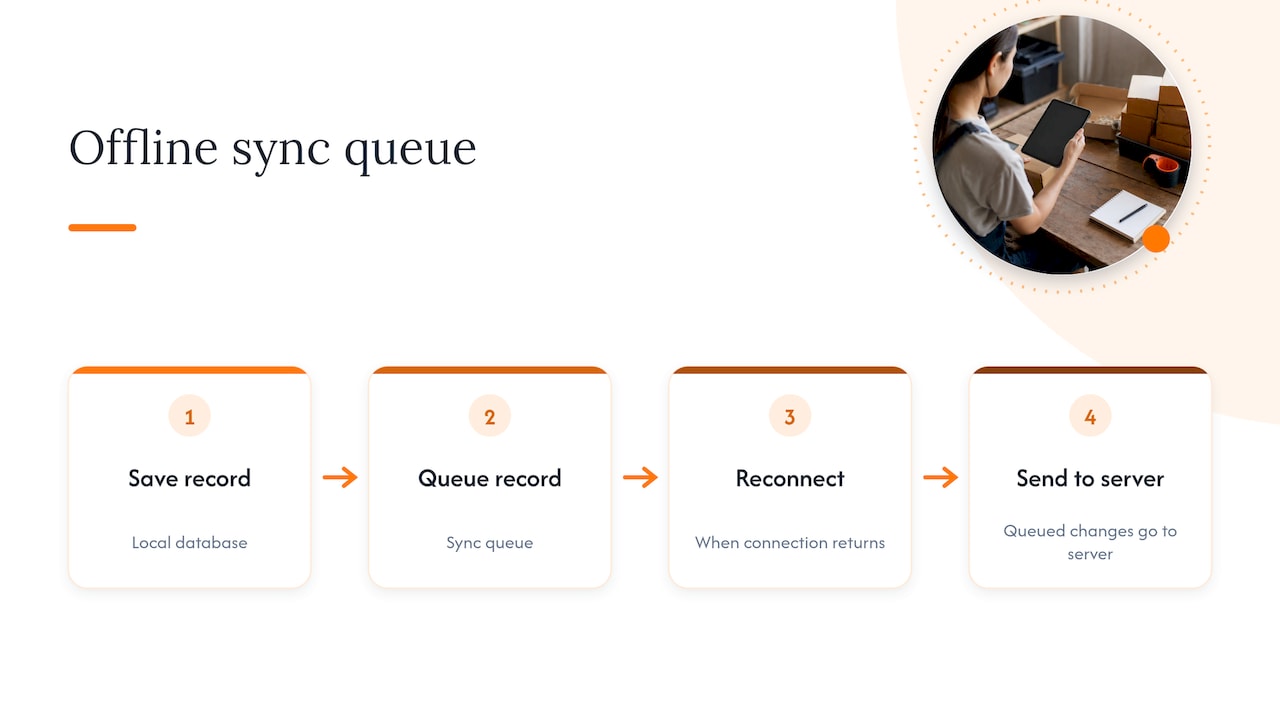
Background Sync is not available in every browser, so a good build also retries when the app is next opened. This is a detail we check against the devices your team actually uses.
The three problems that break offline apps
Most failed offline projects fail on the same three points. Ask any developer, us included, how each is handled.
1. Conflicts
Two people edit the same customer record, one offline. Which version wins? SVEGA’s guide says you must define conflict rules, such as “last write wins” or manual resolution, because data edited offline can diverge from the server. Without such rules, it warns, the feature fails in production.
For most SME tasks the answer is simple. Attendance, queue tickets and event check-ins are new entries, not edits, so they rarely clash. Shared records such as stock levels or prices need more care.
2. Duplicates
A staff member taps Submit three times because nothing seems to happen. When the signal returns, the server receives three orders. The fix is to give every submission a unique identifier, so the server recognises and discards repeats. SVEGA calls duplicate submissions on reconnection the biggest pitfall of offline queues.
3. Stranded users
The user opens a screen that was never stored and sees a blank page or a browser error. The same guide recommends that offline pages carry a clear message, a retry button and links to views that are cached. A good offline app also shows plainly what is waiting to sync, for example “4 entries saved on this phone, not yet sent”. Staff trust a tool that is honest about its state.
Offline capable web app or native app?
A native app is installed from an app store and has the deepest access to the phone. A PWA is delivered through the browser and can be added to the home screen. For most SME workflows, the PWA is enough, and it is cheaper to maintain.
| Question | Offline capable web app (PWA) | Native app |
|---|---|---|
| Install | Open a link, optionally add to home screen | App store download |
| Updates | Done on the server, nothing for users to do | Users or stores must update |
| Works across phones, tablets, laptops | One build | Usually separate builds per platform |
| Deep hardware access | Limited | Fuller |
| Typical SME fit | Forms, lists, check-in, POS-style entry, queues | Heavy device features, large consumer audiences |
The update point matters more than it looks. The Swiss customs authority, in describing its own PWA, notes that a PWA can be updated on the server side, so users do not have to install updates by hand. For a team of 15 staff on assorted personal phones, that removes a whole category of “my version is old” problems.
If you want the full decision, we compare the options in our PWA vs native guide and web app vs mobile app for SMEs. The same ideas about installation and server-side updates are covered from a different angle in a piece on installable PWA features.
Where Singapore SMEs actually need offline
Singapore has strong mobile coverage, so people sometimes assume offline never matters here. In practice, the problems are local and specific:
- Events and exhibitions. Halls full of phones saturate Wi-Fi and mobile data. Check-in has to carry on regardless.
- Basements, back-of-house and storerooms. Retail, F&B and logistics staff often count stock where reception is poor.
- Field and site work. Cleaners, technicians, inspectors and installers move between lifts, car parks, plant rooms and construction sites.
- Pop-up and outdoor sales. A stall at a bazaar or a market cannot stop selling because the router rebooted.
- Queues. A walk-in queue should not freeze when the shop’s connection hiccups.
What these have in common is a short, repeated task, done by staff, where a gap of a few minutes costs real money. That is the right profile for offline. A long, analytical dashboard is not.
Start with the smallest offline scope
The temptation is to ask for everything offline. SVEGA’s guidance points the other way: define a minimal set of screens and actions that must work without internet, because trying to cache everything leads to unneeded complexity and bugs that are hard to manage. Value offline usually comes from viewing recent content, browsing lists and submitting simple forms for later processing.
A workable way to scope it:
- List the tasks staff do in the field or at the counter.
- Mark each one: must work offline, nice to have, online only.
- Keep the “must” list short, ideally three to five actions.
- Decide which data must be on the device to support those actions, such as today’s guest list or the current price list.
- Set the conflict rule for each type of record.
- Define the sync moment: automatically on reconnect, on app open, or on a manual button.
- Test with the Wi-Fi off, on the cheapest phone your staff use.
This list is also the closest thing to a brief. You do not need to write technical documents. We can build it with you in a conversation.
Security and data on the device
Offline means some business data sits on a phone. That brings sensible questions:
- Is the app protected by a login, and does it log out after inactivity?
- Which records are stored locally, and for how long? Store only what the task needs.
- What happens if a phone is lost? A good design lets you revoke access on the server and clear stored data.
- Where does the server-side copy live, and who can reach it?
If the app holds personal data, Singapore’s Personal Data Protection Act applies to how you protect it, so check the Personal Data Protection Commission’s guidance for your case. We keep client information confidential and design the app to hold the minimum on the device. For wider backup thinking, the Swiss SME portal advises keeping a safe copy of critical data on a separate system, in case a cloud provider fails. That is a Swiss recommendation, but the logic of a separate backup travels well.
Our view: the simplest suitable route
We get asked for an offline app about as often as we are asked for a mobile app, and the first answer is usually the same: not yet. Before anyone chooses a technology, we want to see the workflow. Who enters what, where, and what happens when the signal fails?
Often, the answer is smaller than the question. A queue system may need offline only for ticket issue. An event check-in may need the guest list stored on the device and nothing else. In those cases, a ready product, or a ready product adapted to your process, costs less and arrives sooner than a custom build. We say so even when it means a smaller project for us.
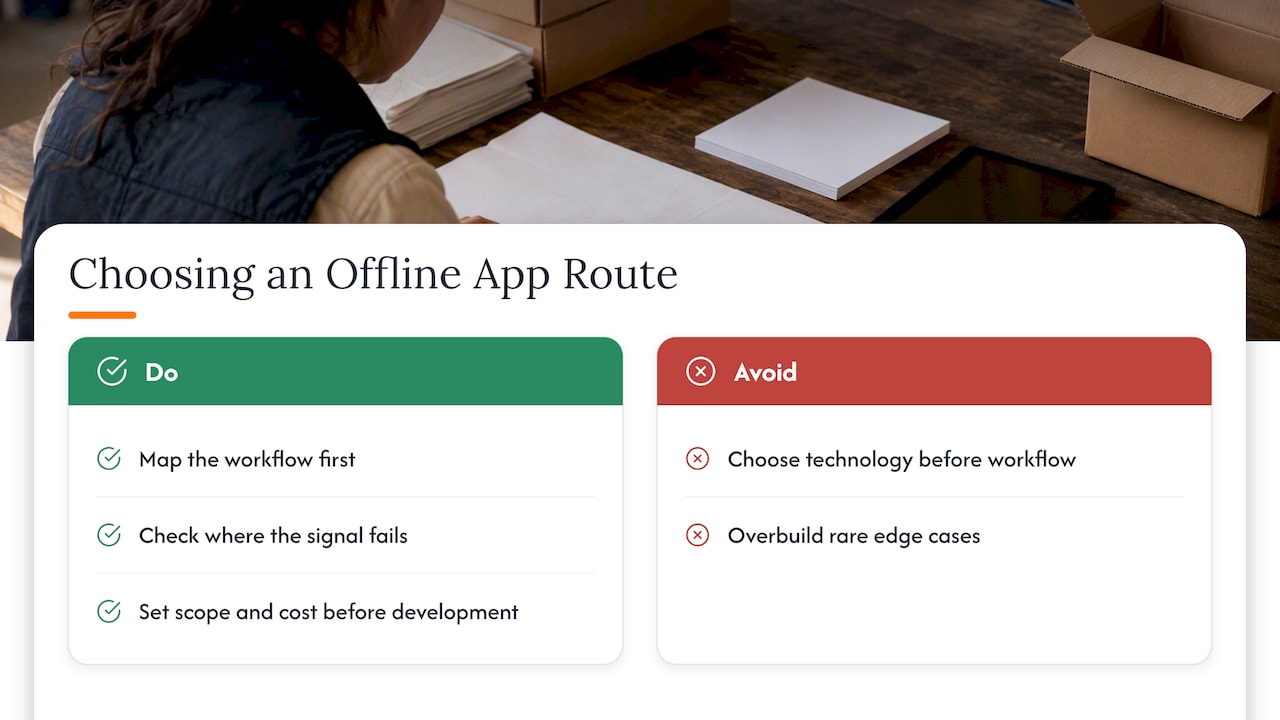
When custom is the right call, we agree a clear scope and cost direction before development starts, in plain language. You do not need to bring a technical brief, and you are under no pressure to commit after the review. Everything you share about your operations stays confidential.
The mistake we see most is building a perfect offline mode for an edge case that happens twice a year, while the daily workflow stays clumsy. Fix the daily workflow first.
— Ronald
Ready products that already handle the workflow
Several of our ready-to-use products cover the places where offline matters most, and each can be adapted to your process:
- POSFlow for counter sales and pop-up selling.
- QueueFlow for walk-in queues and service counters.
- EventFlow for registration and check-in at events.
- PresenceFlow for attendance that is simple to record and easy to see.
- LeadsFlow for capturing leads on the go.
Whether a given product needs offline behaviour added depends on your workflow, and that is exactly what the review settles. No prices are published for these products, so we give a cost direction after we understand your case.
If your process is unusual, we also build custom web apps and internal business tools and automate the surrounding workflow. Moving off spreadsheets first? Our spreadsheet to web app hiring guide and the data migration plan with rehearsed rollback explain how to do it without downtime.
Book a free app fit review ↗
Tell us what your team does when the signal drops. We will map the workflow, say whether you need offline at all, and point to the simplest suitable route: a ready product, an adapted one, or a custom build. See how we work with SMEs on our app developer Singapore page ↗ or start at flowlab.works ↗.
Questions to ask any developer before you sign
Whether you choose us or someone else, these questions separate real offline experience from a sales slide.
- Which exact screens and actions will work with no connection?
- How are conflicts resolved for each type of record?
- How do you stop duplicate submissions after reconnecting?
- What does the user see while data is waiting to sync?
- Which browsers and phones have you tested on, and will you test on ours?
- What is stored on the device, and how can it be cleared if a phone is lost?
- Who maintains the app after launch, and how are updates delivered?
Vague answers to the first three usually mean offline will be demonstrated well and fail in daily use.
FAQ
Can any website work offline?
No. A website works offline only if it has been built with a service worker and local storage for the data it needs. Without that, the browser shows an error as soon as the connection drops. Adding it to an existing app is possible, but the sync rules still need to be designed.
What is the difference between a PWA and an offline capable web app?
A PWA is a web app that can be installed to the home screen and behaves like an app. Offline capability is one feature it can have, and not every PWA includes it. When people say offline capable web app, they usually mean a PWA with a service worker and a local database.
Is an offline data collection app harder to build than a normal one?
Yes, usually, because you must handle conflicts, duplicates and sync status on top of the normal screens. The effort depends heavily on scope. A form that only adds new entries is much simpler than a shared record that several people edit.
How much does an offline capable web app cost in Singapore?
It depends on the scope, and we do not publish fixed prices. A ready product, or one adapted to your process, is often the lower-cost route. Our free app fit review gives you a cost direction before any development starts.
Sources
- Using Service Workers, MDN Web Docs
- Progressive Web App w praktyce, SVEGA
- A closer look at IndexedDB, rasc.ch
- Using the Background Sync API with the Angular service worker, rasc.ch
- Via: de l’application à la boutique en ligne, Swiss Federal Office for Customs and Border Security
- The Mobile Community App That Fits How Coaches Actually Work, Hopper