
Role-based access control (RBAC) is a way of deciding who can see and do what in your systems by giving permissions to roles, such as “cashier”, “supervisor” or “finance”, instead of to individual people. Staff then receive a role, and the role carries the access. For a small business this means fewer mistakes, faster onboarding, and a clean answer when someone asks, “Who can see customer data?”
This guide explains how RBAC works, how to design roles for a business with 5 to 100 staff, which Singapore guidance applies, and when roles alone are not enough.
TL;DR
- RBAC attaches permissions to roles, and people get access only by holding a role. When someone changes job, you change their role, not a long list of settings.
- Start with a small number of roles that match real jobs, and give each only the minimum access it needs.
- Singapore guidance from the PDPC and MAS points the same way: defined roles, regular reviews, prompt removal of access.
- RBAC is a good foundation, but some apps also need rules about relationships, for example “only the account owner’s own customers”.
- Review who holds which role at least periodically, and always when someone leaves or changes duties.
Table of Contents
- What role-based access control is, and how it works
- The core parts: users, roles and permissions
- A worked example: roles for a Singapore retail and service business
- Why RBAC suits small and medium businesses
- Access control best practices that apply in Singapore
- When roles are not enough
- How to put RBAC in place, step by step
- Our perspective: start with the workflow, not the permission list
- Getting roles built into your business app
- FAQ
- Sources
What role-based access control is, and how it works
In the model described by NIST’s Computer Security Resource Center, permissions are assigned to roles rather than directly to users. A user is given one or more authorised roles, activates a role in a session, and can perform only the transactions that role permits. Roles can inherit from other roles, and constraints can enforce rules such as separation of duties.
IBM describes the same idea from an administrator’s side: you assign each user one or more roles, and each role represents a set of permissions or privileges. It also sets out three basic rules:
- Role assignment: a person needs an active role to exercise any permission.
- Role authorisation: the person must actually be authorised for that role.
- Permission authorisation: permissions are granted only to people who are authorised through their roles.
The practical result is simple. Nobody gets access “because they asked nicely” or “because they were on the last project”. Access follows the job.
NIST also makes the point that explains why RBAC lasts: roles are relatively stable within an organisation, while users and their permissions change quickly. Managing access through roles therefore makes it easier to administer and to review.
The core parts: users, roles and permissions
The Apache Shiro documentation lists the core parts of an RBAC system as users, roles and permissions. Your application’s data model decides how they connect.
| Part | What it means | Example in a small business |
|---|---|---|
| User | The person (or system) who signs in | Mei Ling, front-of-house staff |
| Role | A named set of responsibilities | Cashier, Shift supervisor, Finance, Admin |
| Permission | An action on a resource | Create a sale, issue a refund, export customer list |
| Role hierarchy | One role inherits another’s permissions | Supervisor includes everything a cashier can do |
| Constraint | A rule limiting combinations | The person who raises a payment cannot also approve it |
NIST’s RBAC presentation illustrates hierarchy with a simple banking case, where a teller inherits what an employee can do, and shows both static and dynamic separation-of-duty constraints. You do not need that depth on day one, but it helps to know the options exist.
A worked example: roles for a Singapore retail and service business
Take a business with a shop, a small back office and a few managers. Without roles, someone usually ends up with an “admin” login shared by three people, because it is easier than working out the right access.
With RBAC, you write down jobs first, then permissions:
| Role | Can do | Cannot do |
|---|---|---|
| Cashier | Ring up sales, take payments, view today’s own transactions | Issue refunds, change prices, export reports |
| Shift supervisor | Everything a cashier can, plus approve refunds and voids | Change prices, manage users |
| Operations manager | View all branch reports, manage stock, adjust prices | Manage users, view payroll data |
| Finance | View and export financial reports, reconcile payments | Ring up sales, edit stock |
| System admin | Create users, assign roles, view the audit log | Approve their own refunds |
Three things to notice. First, the roles describe jobs, not people. Second, the admin role is a separate job and not a super-user for everyone. Third, the “cannot do” column matters as much as the first: it is where fraud and accidents are stopped.
If a new part-time cashier joins on Monday, the administrator gives them the Cashier role and nothing else. When the same person is promoted to supervisor, the role changes and the old access is not left behind.
Why RBAC suits small and medium businesses
Small teams often assume access control is a large-company concern. In practice, small teams feel the pain faster, because one person usually does several jobs and nobody has time to audit settings.
RBAC helps in four ways:
- Faster onboarding and offboarding. One role assignment replaces a checklist of individual permissions.
- Fewer errors. Staff cannot change what they cannot see, so a stray click does less damage.
- Easier answers. When a customer, auditor or partner asks who can see sensitive data, you can answer by role.
- Less dependence on one person’s memory. Access rules are written down in the role design, not stored in the head of whoever set up the system.
The limitation is design effort. Too many roles become unmanageable, and too few roles push everyone into “admin”. Aim for the smallest set of roles that reflects real differences in duties.
Security of the app itself matters too. Our guide to security for small business apps covers the wider checklist that sits around access control.
Access control best practices that apply in Singapore
Singapore has no single law titled “RBAC”, but several official documents describe what good access control looks like. These are the points that recur.
Give the minimum access needed
The PDPC’s guide to securing personal data in electronic medium recommends defining user roles or groups, defining their access rights clearly, reviewing those rights regularly, and giving users only the access to personal data that their role or function needs.
The Singapore Government’s Access Control policy, last updated on 24 March 2026, goes a step further: access is denied by default, and only the minimum permissions needed are granted. It is written for government systems, but the principle transfers directly to a private business app.
Review access and remove it promptly
MAS’s Technology Risk Management Guidelines, published in January 2021 for financial institutions, call for periodic access reviews, prompt removal of redundant or dormant accounts, and access to be revoked or disabled when someone changes responsibilities or leaves. You may not be a financial institution, but the habit is one any business can copy.
The same government access policy asks organisations to keep an inventory of accounts and access, to check that access matches assigned roles and functions, and to validate any automated provisioning and deprovisioning.
Separate duties
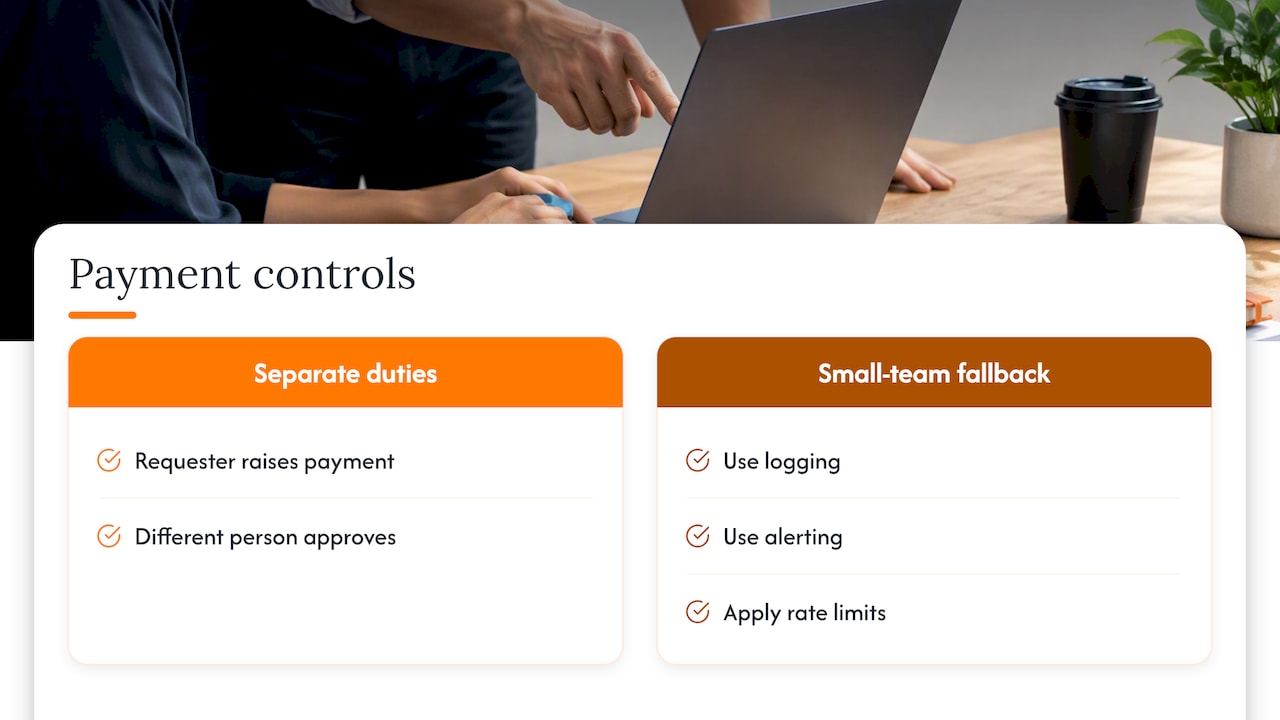
The person who requests a payment should not be the one who approves it. The government policy asks for separation of duties so that no individual has excessive control over key processes. Where perfect separation is not possible in a small team, it recommends compensating controls such as logging, alerting and rate limits. That is realistic advice for a ten-person company.
Log what people do
Access without a record is hard to defend. Keep an audit log of sign-ins, role changes and sensitive actions such as exports and refunds, so that you can explain what happened if something goes wrong.
Learn from enforcement cases
The PDPC accepted a voluntary undertaking from Cycle & Carriage Industries on 23 January 2026. It covered strengthening service-account security, applying least-privilege access, restricting dormant accounts and improving the audit and review of user accounts. In a January 2026 announcement, the PDPC also reported penalties against four organisations, citing failures such as no periodic security reviews, outdated software and missing basics like a data protection officer or internal policies. The lesson is that access hygiene is something regulators look at, not just something IT prefers.
The PDPC also advises keeping development and high-risk environments separate from production systems. If you test a new app, do not test it with live customer data and live admin accounts.
Include AI tools and automations
If you let an AI assistant or automation touch your systems, treat it like a user with a role. Singapore Government guidance on AI coding assistants says to enforce least privilege and role-based access, and to prohibit admin tokens, elevated credentials or unrestricted access for assistants and agents.
When roles are not enough
RBAC answers “what can a cashier do?” It does not always answer “which customers can this salesperson see?” NIST notes that RBAC can have extra constraints added at access time for more complex relationships, such as access that depends on how a user relates to a specific record. It also says RBAC is distinct from the older MAC and DAC models but can simulate them.
Three situations usually call for something more:
- Ownership rules. A sales rep should see only their own leads, while the sales manager sees all of them. The role sets the general permission, and a rule limits it to records they own.
- Multiple branches or clients. If one app serves several outlets or customers, a role such as “manager” must apply only within that outlet. AWS Prescriptive Guidance says RBAC, attribute-based control or a combination may be used for multi-tenant applications. It also warns that authenticating and authorising a user does not by itself stop them reaching another tenant’s data, so the system must explicitly prevent it.
- Context. Access from an unknown device or unusual location may need extra checks. Government guidance recommends identity- and device-based access for private resources, including Zero Trust services.
A sound design keeps authorisation rules out of scattered bits of code. AWS recommends decoupling authorisation policy from application code and centralising decisions, which helps apply rules consistently across APIs and reduces accidental cross-tenant exposure.
RBAC also works alongside sign-in security, not instead of it. Roles decide what a person can do once inside; strong sign-in decides who is inside. See our notes on single sign-on for SMEs and the specifications for two-factor authentication apps.
How to put RBAC in place, step by step
You can do the design work with a spreadsheet before any software is touched.
- List the tasks, not the titles. Write down what your team does in the system: take payment, approve leave, edit prices, export customer lists.
- Group tasks into roles. Start with 3 to 6 roles. If two job titles do exactly the same tasks, they share a role.
- Mark the sensitive tasks. Refunds, price changes, exports of personal data, user management and anything touching payroll should sit with as few roles as possible.
- Apply least privilege and default deny. Begin each role with nothing, then add what the job needs.
- Add separation of duties. Decide which two tasks one person must never hold together, such as raising and approving a payment.
- Assign roles to named people. No shared logins. Each person signs in as themselves so the audit log means something.
- Set a review rhythm. Check role holders on a fixed schedule, and immediately whenever someone joins, moves or leaves. Tie the leaver step to your HR process.
- Log and test. Confirm the audit log records role changes. Then try each role and check it cannot do what it should not.
A useful sign you have done it well: a new manager can read your role table in five minutes and understand it.
Approval flows are a good place to practise. Our piece on fixing a timesheet approval workflow shows how roles and approvals fit together in a task most teams already run.
Our perspective: start with the workflow, not the permission list
When SME owners ask us about access control, they usually describe a feeling: “I am not sure who can see what.” Almost never is the real problem a missing security product. It is that nobody wrote down how work moves through the business.
So we begin with the workflow. Who enters the information, who checks it, who approves it, who needs to see the result? Once that is clear, the roles often write themselves, and the permissions follow from the steps.
We also think most SMEs should keep roles few and plain. Five roles that everyone understands beat fifteen that only the developer remembers. If a ready-made product already handles the roles you need, use it. If it needs small adjustments, adapt it. Build something custom only when your process truly differs. That order keeps cost and complexity down, and it is how we run our free app fit reviews.
And confidentiality is part of the design. Staff should see the customer and financial data their job needs, and no more.
— Ronald
Getting roles built into your business app
If you are choosing or commissioning an app and want roles done properly from the start, we can help. We build custom web apps, internal business tools and workflow automations for Singapore SMEs, and we adapt existing products such as POS, queue management, event registration, lead tracking and attendance. Our free app fit review looks at your workflow first, tells you which route is the simplest suitable one, and gives an early view of costs before any development begins.
See how we work with SMEs ↗ or start from our homepage ↗.
If your system is linked to finance or inventory software, role design also affects those connections. Our page on ERP integration and workflow systems in Singapore explains how we approach it.
FAQ
What is the difference between role-based and rule-based access control?
Role-based control grants access according to the job a person holds, such as cashier or finance. Rule-based control applies conditions set by the system, such as allowing access only during office hours or from certain networks. Many businesses use roles as the base and add a few rules on top for sensitive actions.
How many roles should a small business have?
Start with three to six roles that reflect genuinely different jobs. If you find yourself creating a role for each person, the design is too detailed and will be hard to review. Add a role only when a group of people needs different access from every existing role.
How often should we review who has access?
Singapore guidance from the PDPC and MAS calls for regular or periodic reviews but does not set one interval for every business. A sensible approach is a fixed schedule suited to how sensitive your data is, plus an immediate check whenever someone changes job or leaves. Remove dormant accounts promptly.
Is RBAC required by Singapore law?
No single rule is named “RBAC”, but the PDPC expects organisations to protect personal data with reasonable security arrangements, and its guide recommends defined roles with limited access rights. Regulated sectors such as finance face further expectations, for example MAS’s technology risk guidelines. If you are unsure what applies to your sector, ask your legal adviser or the relevant regulator.
Can RBAC alone protect my customer data?
No. It controls what signed-in people can do, so you still need strong sign-in, up-to-date software, logging and sensible separation between test and live systems. For a broader checklist, see our guide to security for small business apps.
Sources
- Role Based Access Control, NIST CSRC
- What Is Role-Based Access Control (RBAC)?, IBM
- Apache Shiro Authorization
- Access Control, Singapore Government ICT&SS Policy Reform
- Guide to Securing Personal Data in Electronic Medium, PDPC
- Technology Risk Management Guidelines, MAS
- Voluntary Undertaking by Cycle & Carriage Industries, PDPC
- New Commission’s Decisions and Undertaking, PDPC, January 2026
- AI coding assistants best practices, Singapore Government Developer Portal
- Multi-tenant SaaS authorization and API access control, AWS Prescriptive Guidance