
Retool suits you when your team has someone technical, your data already sits in databases or APIs, and you need dashboards, admin panels or approval screens quickly. A custom app suits you when the workflow is specific to your business, non-technical staff will use it daily, and nobody on your team wants to maintain a platform. For many Singapore SMEs, a third route is cheaper than either: a ready-made or adapted product.
This guide compares the options on cost, build time, control, maintenance and data protection. It also covers the main Retool alternatives people search for, including Budibase.
TL;DR
- Retool is a low-code platform for internal tools. It is fast to start, but it still needs someone who can connect data sources and write queries.
- Custom code gives full control and no per-seat platform fees, but you pay for build time and you own the maintenance.
- Retool’s free plan covers up to 5 users. Paid plans are priced per builder and per internal user, so costs grow with your team.
- Open-source alternatives such as Appsmith, Budibase and ToolJet can cut licence cost, but self-hosting moves the upkeep to you.
- Start with the workflow, not the tool. A ready or adapted product often beats both a platform and a from-scratch build.
Table of Contents
- What Retool is, and what it is good at
- What “custom” really means
- Retool vs custom: side-by-side
- What Retool costs
- Retool alternatives worth knowing
- Security and data protection for Singapore businesses
- Our perspective
- A simple way to decide
- Get a fit review before you spend
- FAQ
- Sources
What Retool is, and what it is good at
Retool turns internal processes into software. Its platform provides authentication, pre-built components, data connectors and deployment environments. Retool’s own examples include support dashboards, inventory trackers, finance reconciliation screens, approval workflows and ticket-routing tools.
Its use-case catalogue adds admin panels, customer and vendor portals, case management and record management. Its workflow feature supports scheduled jobs, event triggers, approvals, escalation, JavaScript or Python steps, audit logs and self-hosting in a VPC.
In practice, Retool works best when:
- your data already lives in a database, spreadsheet-like store or API;
- the users are internal staff, not customers;
- a developer, or a technically confident operations person, will build and look after the screens;
- the interface is mostly tables, forms, charts and buttons.
That last point matters. Retool covers common patterns well. Where a workflow needs an unusual interface or heavy custom logic, you start working around the component model rather than with it.
What “custom” really means
“Custom” covers two very different things, and the keyword hides the difference.
Coding it yourself. A developer, in-house or freelance, writes a web app from scratch. You get exactly the screens and rules you want. You also get hosting, security patches, backups, bug fixes and the question of what happens when that developer leaves.
Commissioning it. A specialist agency scopes and builds the app for a fixed fee, then hands over something your staff can simply use. You do not need a technical brief, and you do not maintain a platform.
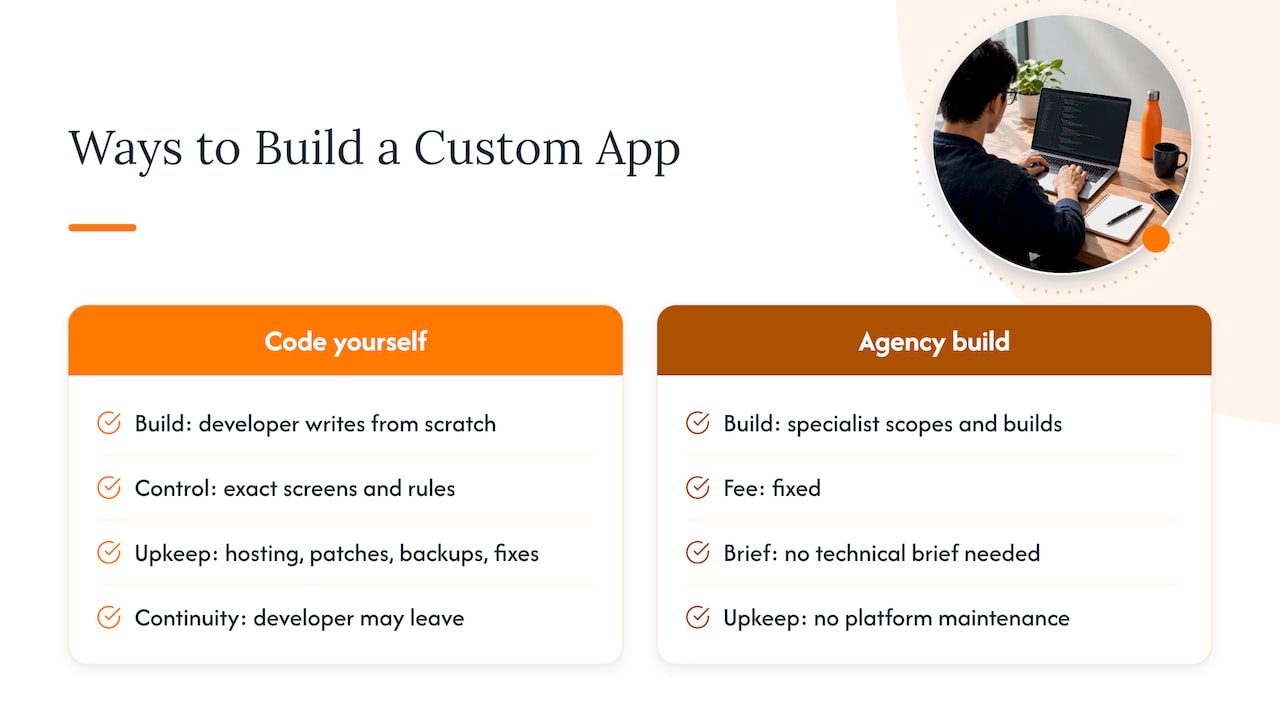
The second meaning is the one most SMEs actually need. Few Singapore small businesses have a developer on payroll, which makes the “Retool or code” framing a little misleading. Retool is a tool for builders. A commissioned app is a finished result.
Retool vs custom: side-by-side
| Criterion | Retool | Custom-coded app | Commissioned app (adapted or bespoke) |
|---|---|---|---|
| Who builds it | Your technical staff | Developer you hire | Specialist agency |
| Time to first working screen | Days, if the data is ready | Weeks to months | Weeks, faster if a product is adapted |
| Upfront cost | Low, mostly staff time | Highest | Fixed project fee, scoped first |
| Running cost | Per-builder and per-user fees | Hosting and developer time | Hosting, plus optional support |
| Flexibility | High within the component model | Unlimited | High, shaped to your workflow |
| Maintenance | You maintain the app; Retool maintains the platform | You maintain everything | Agreed at scoping |
| Vendor dependency | High (platform) | Low, but developer dependency | Depends on agreement and code ownership |
| Best for | Internal dashboards and admin tools | Unusual products or heavy logic | Operations staff who need a tool that just works |
Treat the table as a starting point. A Southeast Asia decision framework frames SaaS, custom and hybrid approaches as trade-offs among time to value, control, customisation, recurring cost and vendor dependency. It does not treat any one model as cheapest in every case. We agree.
What Retool costs
Retool’s pricing page lists these tiers, in US dollars:
| Plan | Annual billing | Monthly billing |
|---|---|---|
| Free | US$0, up to 5 users | US$0, up to 5 users |
| Team | US$10 per builder, US$5 per internal user | US$12 per builder, US$7 per internal user |
| Business | US$50 per builder, US$15 per internal user | US$65 per builder, US$18 per internal user |
| Enterprise | Flexible pricing | Flexible pricing |
Two details change the maths for an SME.
First, the Business tier adds audit logs, richer permissions, unlimited environments and apps for external users. External users are metered: 0 to 50 are free, 51 to 250 cost US$8 per month on annual billing (US$10 monthly), and prices step down after that. If you plan a customer or vendor portal, model this early.
Second, a per-seat platform bill is only part of the cost. Retool’s own build-versus-buy guidance tells teams to account for long-term maintenance and ownership costs of internal tools. Someone’s time is the biggest line, and it never appears on the invoice.
Prices are in US dollars, so check the Singapore-dollar total at the current exchange rate before you commit.
Retool alternatives worth knowing
Most people who search for alternatives want one of three things: lower cost, self-hosting, or fewer limits. A comparison from JetAdmin suggests the choice should follow deployment and extensibility needs: open source and self-hosting for control, Power Apps for an existing Microsoft estate, governed platforms for enterprise controls.
Appsmith
An open-source low-code platform that connects databases, SaaS tools and APIs, with drag-and-drop UI, JavaScript customisation and Git integration. It is more stripped back and technical than Retool. Assembly’s September 2026 comparison lists Appsmith from US$15 per user per month on annual billing.
Budibase
The usual answer to “Retool vs Budibase”. Budibase pricing lists a Pro plan at US$19 per month, with end users at US$5 per user per month and extra creators at US$50 per creator per month on yearly billing. Business is US$299 per month, Enterprise is custom, and the self-hosted open-source plan is free indefinitely.
Retool is the more polished builder for data-heavy internal screens. Budibase appeals when you want to self-host and keep costs predictable. Both still expect someone to build and maintain the apps.
ToolJet
Open source with self-hosting. ToolJet Cloud lists Free at US$0 per builder per month, Basic at US$23, Flexible at US$79 and a US$199 plan, with custom Enterprise pricing. Check app, AI-credit, SSO and audit-log limits before assuming the free tier is enough.
Microsoft Power Apps
A sensible choice if your business already lives in Microsoft 365. Microsoft lists a free Developer plan for development and testing, limited Power Apps Basic within some Microsoft 365 licences, and Premium at US$20 per user per month. For a closer look, read our Power Apps vs AppSheet comparison.
UI Bakery, Windmill and Superblocks
UI Bakery offers cloud and self-hosted building, with Builder at US$20 per month on annual billing. Windmill suits script-heavy workflows in Python, TypeScript, Go, Bash and SQL. Superblocks targets governed applications with hybrid deployment. All three lean towards teams with developers.
A narrow, purpose-built tool can also beat a general builder. Studio software, for example, is designed around how to simplify music studio management, with scheduling and tutor workflows built in rather than assembled from components.
Security and data protection for Singapore businesses
Whichever route you choose, you stay accountable for your data. Legal 500’s 2026 Singapore guide says the PDPA requires reasonable security arrangements, retention limitation and comparable protection for overseas transfers. Outsourcing does not remove your accountability, even when the vendor acts as a data intermediary.
The Southeast Asia framework adds that Singapore’s PDPA emphasises accountability and breach notification rather than a general data-localisation rule, while financial-sector deployments may face extra MAS requirements.
Before you sign with any platform or builder, ask:
- Where is the data hosted, and can you choose the region?
- Is there an audit log, and on which plan?
- Who can see your data during support and development?
- Can you export your data and, for a build, receive the code?
- What happens to the app if the vendor changes pricing or closes?
Our perspective
We build apps for Singapore SMEs, so we see the same pattern often. A business owner finds a platform, spends a few weeks on it, and then discovers the real bottleneck was never the screen. It was an unclear workflow: who approves what, where the data enters, and what happens when something goes wrong.
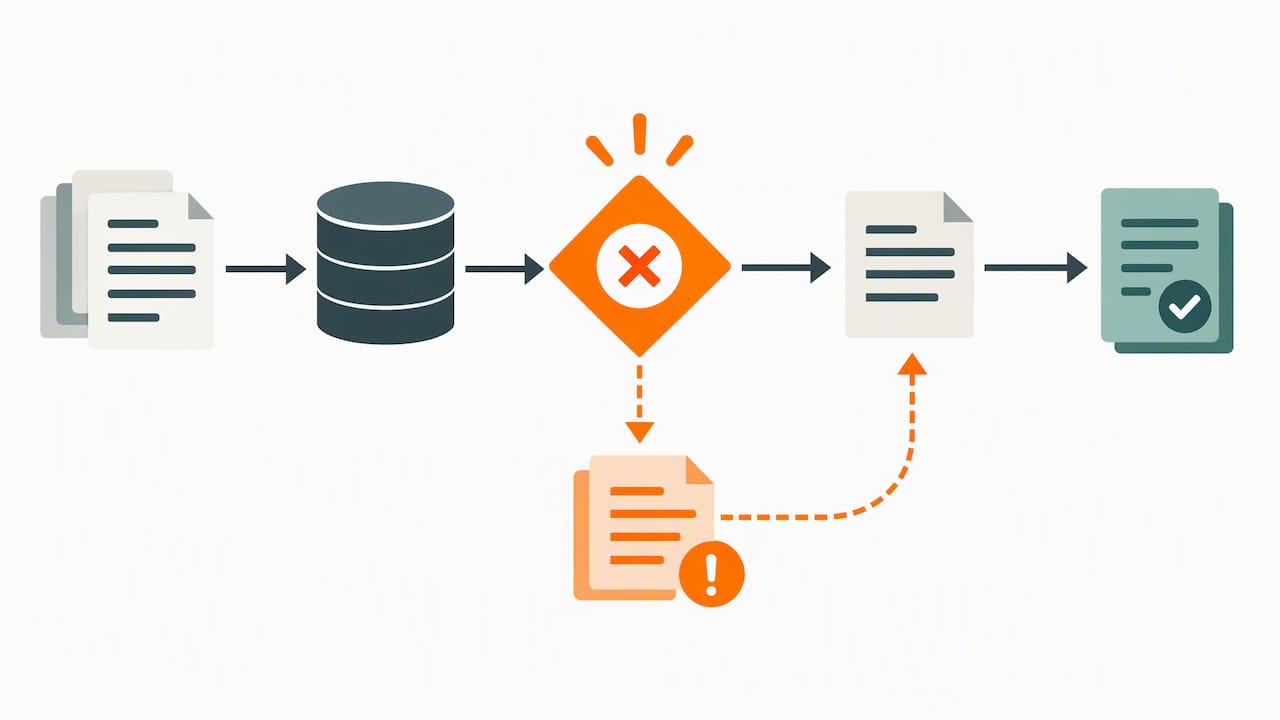
That is why we start with a workflow-first review before recommending anything. We look at the simplest suitable route in this order: a ready-made product, then an adapted product, then a custom build. A platform like Retool is a fair choice when you have a technical person who will own it. We do not pretend it is wrong for everyone. But most owners we speak to do not want to own a platform. They want the queue to move, the sale to record, the leads to be followed up.
Our own ready-to-use products exist for that reason. Building from scratch is the last option we reach for, because it costs the most and takes the longest. Our five tests for build vs buy are the quick way to see where you sit.
— Ronald
A simple way to decide
Work through these in order.
- Write the workflow in plain steps. Who does what, with which data, and what triggers the next step? If you cannot do this, no tool will help yet.
- Check for an existing product. Point-of-sale, queue management, event registration, lead tracking and attendance are well-understood problems. Do not rebuild them.
- Ask who will maintain it. If the answer is “nobody”, a platform you build yourself is a risk.
- Count users and external users. Per-seat pricing suits five staff. It looks different with fifty staff or a customer portal.
- Check data and compliance needs. Personal data, financial data and overseas hosting all affect the choice.
- Compare three-year cost, not month-one cost. Include licences, hosting, staff time and changes.
If you want to see how this plays out for other tool decisions, our guides to low-code platforms for SMEs, custom software benefits and Airtable vs Smartsheet use the same logic.
When Retool is the right call
- You have a developer or analyst who is comfortable with SQL and JavaScript.
- The tool is for a small internal team.
- You need something running in days, and the free plan covers up to five users.
When a custom or commissioned app is the right call
- Non-technical staff use it all day, so the interface must be simple.
- The workflow is specific to how you operate.
- You want one fixed scope and cost rather than ongoing platform administration.
- You want confidentiality around your process and data.
Get a fit review before you spend
We offer a complimentary app fit review. We look at your workflow, tell you whether a ready product, an adapted product or a custom build is the simplest suitable option, and give you early cost direction before any development starts. There is no technical brief to write and no pressure to commit.

If your need looks like a till, a queue, an event sign-up, a pricing sheet, lead follow-up or attendance, see our product demos. For anything more specific, read about our custom software development in Singapore or talk to us through the FlowLab home page ↗.
FAQ
Is Retool cheaper than building a custom app?
Usually at the start, yes. The free plan covers up to 5 users and Team starts at US$10 per builder per month on annual billing. Over several years, seat fees, external-user metering and the staff time spent maintaining apps can narrow the gap, so compare a three-year total rather than the first month.
Is Retool better than Budibase?
Neither wins on every point. Retool is the more polished builder for data-heavy internal tools, while Budibase offers a free self-hosted edition and a lower entry price on cloud, from US$19 per month. If you want to self-host and have someone to maintain it, Budibase deserves a look. If you want no maintenance at all, a commissioned app avoids the question.
Can a non-technical team use Retool?
It is friendlier than most developer tools, but it still assumes comfort with data sources, queries and some JavaScript. A non-technical team can use apps built in it, but building and maintaining them usually needs someone with technical skills.
What is the best Retool alternative for a small business?
It depends on who will build it. Appsmith, Budibase and ToolJet suit teams with a technical person and a wish to self-host. Power Apps suits Microsoft 365 shops. If nobody wants to build anything, a ready-made or adapted business app is often the cheapest route.
Sources
- What you can do in Retool
- Retool use cases
- Retool process automation
- Retool pricing
- Retool: build vs buy guide for internal tools
- Custom Software vs SaaS: a neutral decision framework for Southeast Asia
- Retool alternatives: how to pick the right internal app builder
- Appsmith
- Budibase pricing
- ToolJet pricing
- Microsoft Power Apps
- UI Bakery pricing
- 9 Best Retool Alternatives in 2026, Assembly
- Legal 500 Singapore technology outsourcing guide 2026