
Total cost of ownership for software is the sum of every cost an application generates from purchase to retirement, not just its licence fee. IT managers should build this out over a multi-year horizon before signing any contract. The immediate next step is simple: open a spreadsheet and start a line‑item TCO worksheet, because that single document will catch the costs a vendor quote never mentions.
TL;DR:
- Vendor quotes typically exclude significant costs like integration, migration, and custom support, which can drive expenses well beyond initial estimates.
- Building a multi-year TCO worksheet with ranges and owner validation improves accuracy and helps justify decisions to finance teams.
- Transitioning workloads from SaaS to custom solutions only makes sense if the workflow is highly specific or valuable enough to justify higher long-term costs.
- The biggest cost surprises often come from hidden efforts such as staff hours for data migration and integration, which are rarely invoiced but can be substantial.
- Using external tools alongside detailed internal data, like cloud billing history and incident logs, can improve accuracy in cloud and support cost projections.
Table of Contents
- What does total cost of ownership software actually cover?
- What are the detailed cost components you need to quantify?
- How do you build a multi‑year TCO worksheet step by step?
- Which tools and calculators should you actually trust?
- What does a compact 5‑year TCO projection look like in practice?
- How FlowLab’s app fit review closes the gaps vendors leave out
- When does custom actually beat SaaS on total cost?
- Get your TCO worksheet built with an app fit review
- Where to check the numbers yourself
- Sources
What does total cost of ownership software actually cover?
Gartner defines TCO as a measure that captures the full lifecycle cost of an IT asset, direct and indirect, across the time you own it. For software specifically, that means separating direct costs (licence fees, hosting, support contracts) from indirect costs (staff time spent troubleshooting, productivity lost during rollout, the internal hours nobody bills anywhere).
A working formula makes this concrete:
TCO = Year 1 (capital + implementation) + Σ Years 2–N (operational + maintenance + people + risk) + exit costs − residual value
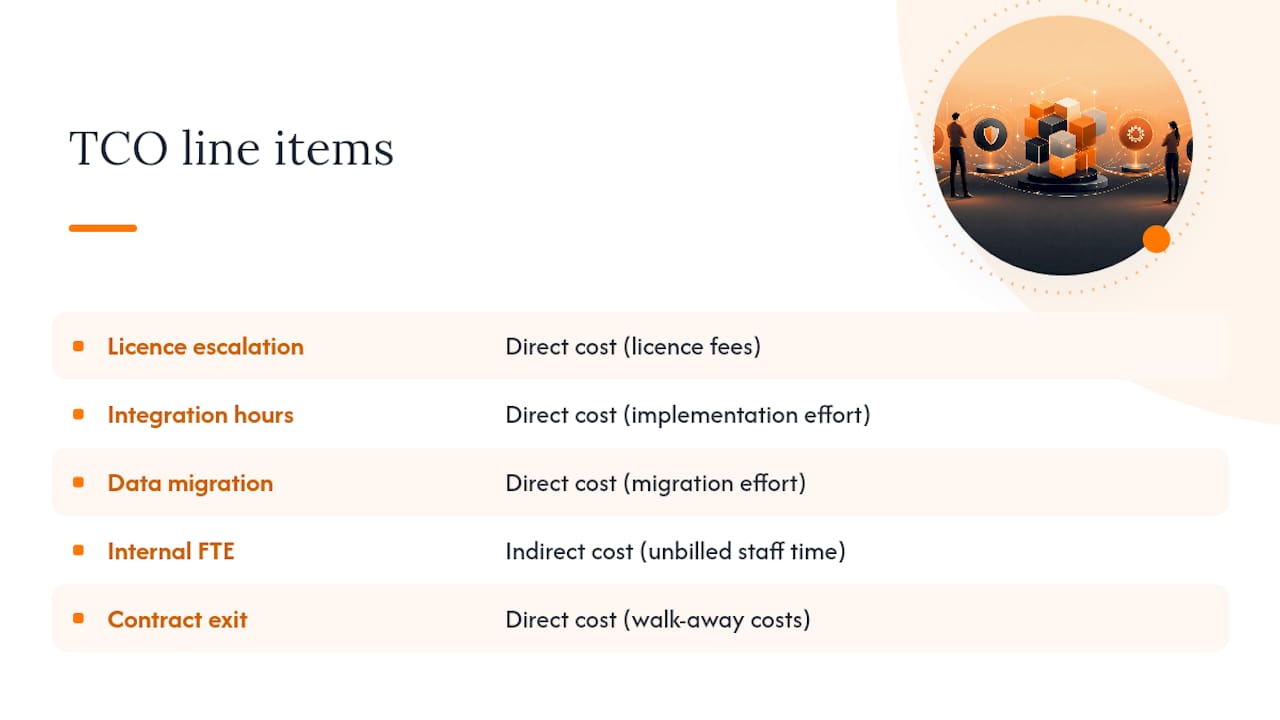
IBM’s breakdown of TCO lists initial costs, setup, operating, maintenance, and downtime as the categories to model. Before you go further, inspect these five line items first, since they’re where most estimates go wrong: licence escalation clauses, integration hours, data migration effort, the internal FTE time nobody schedules, and what it costs to walk away from the contract.
What are the detailed cost components you need to quantify?
A vendor quote almost never covers the categories that end up dominating your five‑year total. CIO’s guide to enterprise software TCO lists initial purchase, configuration, monitoring, maintenance, and retirement as the core buckets evaluators must include, and each one hides sub‑costs decision-makers routinely miss.
Initial acquisition starts with the licence model itself. Per‑seat, tiered, or usage‑based pricing all behave differently as your headcount grows, and procurement fees or one‑off hardware purchases sit alongside the sticker price.
Implementation is where budgets usually slip first: integration work, data migration, configuration, testing, and any professional services days the vendor bills separately from the software itself.
Operational costs run every month after go‑live: hosting or cloud consumption, third‑party API fees, monitoring tools, backups, and subscription price rises that most contracts allow annually.
Maintenance and development cover vendor patches, any custom code you build on top, and the technical debt that accumulates when quick fixes never get revisited.
People costs are the largest blind spot of all:
- Internal support staff time spent fielding tickets the vendor doesn’t see
- Vendor support tier fees (basic versus premium SLAs)
- Training hours for new starters and refreshers for existing staff
- Change management effort during rollout and any process redesign
Risk, downtime, and exit costs round out the model: the cost of an outage, the compliance exposure if the software mishandles regulated data, and what it costs to extract your data and decommission the system when the contract ends.
The common blindspot across all of this is integration and migration effort. Industry guides consistently note that organisations underestimate this because it doesn’t show up on an invoice. It shows up as staff hours spent mapping connectors, cleaning data, and rebuilding reports that broke during the switch.
Pro Tip: Before you sign anything, ask the vendor for a written list of every fee that isn’t in the base licence, including API rate limits, storage overages, and support tier upgrades. If they hesitate, that’s your answer about how complete their quote actually is.
How do you build a multi‑year TCO worksheet step by step?
A reproducible worksheet beats a one‑off estimate every time, because it lets you compare options on the same basis and defend the numbers later. Follow this sequence:
- Define scope and horizon. Pick 3–5 years and decide whether you’re costing this at the organisation level or a single cost centre, since shared infrastructure changes the maths.
- Lay out the worksheet by year. Rows for each cost category from the section above, columns for Year 1 through Year 5, with capital costs amortised evenly rather than dumped entirely into Year 1.
- Estimate variable items as ranges. Cloud hosting and subscription escalation rarely land on a single number, so model a low, expected, and high case for each.
- Assign data owners. Finance validates the licence and procurement rows, IT operations validates hosting and support, HR validates training time. Nobody should be guessing at figures someone else owns.
- Normalise the output. Present the aggregated TCO, then divide by users or seats to get a per‑user monthly figure stakeholders can compare across proposals.
A short, replicable spreadsheet that separates capital, implementation, and operating costs, with sensitivity ranges built in, is the most useful deliverable an IT manager can hand to a finance committee. Add a brief net present value note if your organisation discounts future cash flows. That one addition turns a spreadsheet into something a CFO will actually trust.
Which tools and calculators should you actually trust?
Vendor calculators are a reasonable starting point, but they’re built to sell, not to audit. The Azure TCO calculator is a solid example of comparing cloud against on‑premise hosting costs, and tools like the Scale Computing TCO calculator work similarly for infrastructure decisions. Both are useful for baseline inputs, but neither one knows your integration complexity or your internal support burden.
Treat every vendor number as a claim to reconcile, not a figure to accept. Pull from these internal sources instead:
- Cloud billing history for actual (not projected) hosting spend
- Incident logs for downtime frequency and its business impact
- Payroll burden rates for realistic internal FTE costs
- Existing contract renewal history for how much prices actually escalated last time
For ongoing cloud cost accuracy specifically, the FinOps Foundation’s maturity model gives a governance framework for allocating and forecasting variable spend, which matters because cloud costs rarely stay flat year over year.
What does a compact 5‑year TCO projection look like in practice?
Picture a small to medium enterprise rolling out a new operations platform over multiple years. Year 1 carries the heaviest load: licence fees, a data migration project, integration with an existing accounting tool, and staff training, all landing in the first twelve months alongside the capital outlay.
Years 2 through 5 shift to a steadier rhythm of subscription fees, hosting, and periodic support tickets, but two things creep upward: subscription price escalation and the slow accumulation of custom tweaks nobody budgeted for. A Swiss ERP cost study shows this exact pattern, with recurring fees and maintenance dwarfing the original licence cost by year three.
In most models, that single adjustment shifts the total more than any change to the headline licence price. The takeaway: implementation effort and subscription escalation, not the sticker price, are usually what decide whether your five‑year total comes in on budget or well over it.
How FlowLab’s app fit review closes the gaps vendors leave out
Flowlab runs a complimentary app fit review before recommending anything. This is precisely because most TCO surprises come from unmapped integration and training needs. The review collects your current workflow steps, existing systems that need to talk to each other, and the data you’ll need to migrate, then maps those against three possible paths:
- Ready‑made products for straightforward workflows like queue management or lead tracking, where a proven foundation keeps implementation costs low
- Adapted solutions that modify an existing product foundation to your process, splitting the difference between speed and fit
- Custom builds for workflows specific enough that no off‑the‑shelf tool fits without heavy compromise
Each path carries a different TCO shape, and the review is designed to surface that trade‑off before you commit to one, not after. Mapping integrations and data exports upfront is exactly where SME budgets usually go wrong.
When does custom actually beat SaaS on total cost?
The honest answer is that it depends on scale and how central the workflow is to your operations, not on which option sounds more impressive. A generic accounting or scheduling need almost always costs less over five years as SaaS, because the vendor spreads development and maintenance across thousands of customers. Custom software earns its higher upfront cost only when the workflow is specific enough, or valuable enough to your margins, that adapting a generic tool would mean paying for years of workarounds instead. My heuristic: if you’re modifying a SaaS product’s core logic more than twice a year just to make it fit, you’re already paying custom‑level costs without custom‑level control.
— Ronald
Get your TCO worksheet built with an app fit review
Flowlab gives Singapore SME decision-makers something most vendor quotes won’t: a written breakdown of true costs before you sign anything. The complimentary app fit review maps your workflow, existing systems, and data needs against ready-made, adapted, and custom paths, so you see the real five-year cost difference between options rather than just the headline licence price.

Expect a short discovery conversation, a written summary of what each path would cost to implement and run, and a clear recommendation on which one fits your budget and operational scale. There’s no obligation attached to the review, and no pressure to commit to the most expensive option if a simpler one solves the problem. If you’re weighing up whether to adapt an existing tool or commission something built around your exact process, the app development cost guide gives you indicative ranges to sanity‑check against. Book your app fit review and get the worksheet numbers you actually need before your next budget cycle starts.
Where to check the numbers yourself
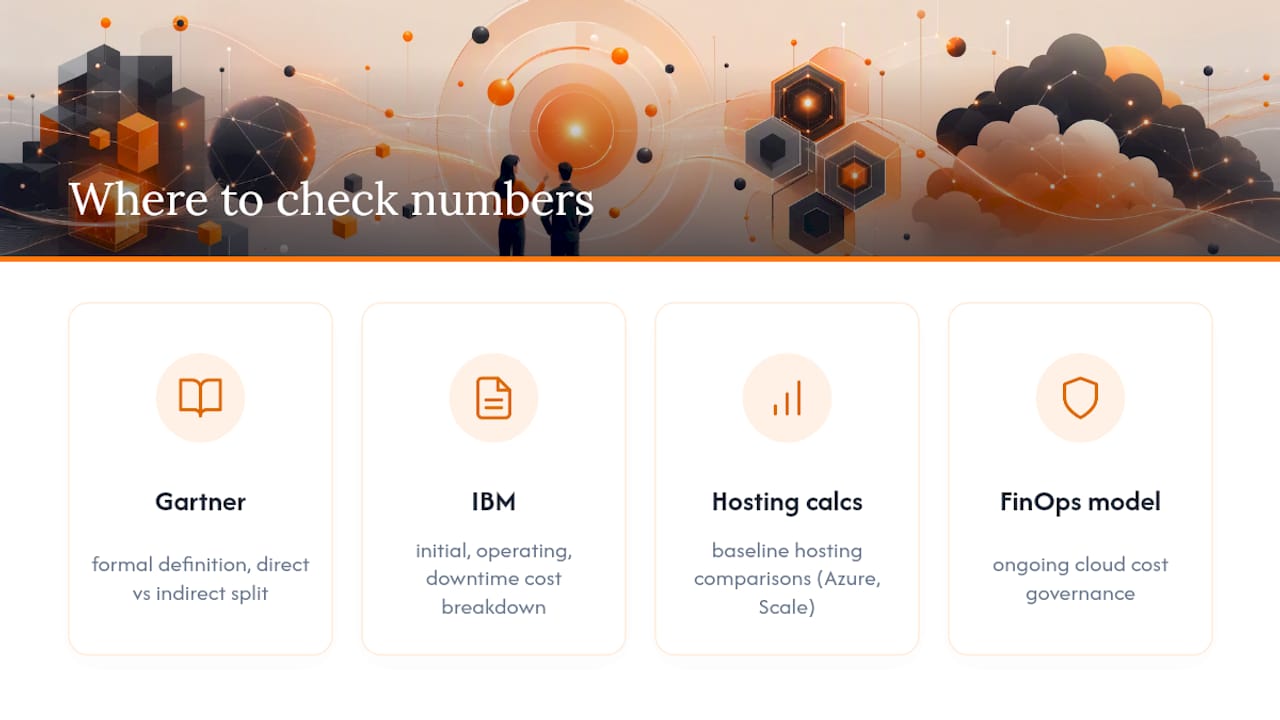
The Gartner TCO glossary gives the formal definition and direct/indirect split used throughout this guide. IBM’s TCO explainer breaks down initial, operating, and downtime cost categories. The Azure TCO calculator and Scale Computing’s calculator offer baseline hosting comparisons, while the FinOps maturity model covers ongoing cloud cost governance.
Sources
- How to calculate TCO for enterprise software | CIO
- What is total cost of ownership (TCO)? — IBM
- FinOps maturity model — FinOps Foundation