
Off-the-shelf CRM suits SMEs with standard sales or service processes and a tight timeline, while custom CRM suits businesses whose workflow is genuinely unique and stable enough to justify ongoing investment. Many SMEs land somewhere between the two, adapting an existing product rather than building from zero. A workflow-first review, not a feature comparison, is what actually decides which route fits, and it should account for total cost of ownership and secure-by-design practices before anyone signs a contract.
TL;DR:
- Compare five year ownership, including subscriptions, seats, modules, integrations, maintenance, security updates, and staff time; neither license fees nor build quotes reveal total cost.
- Packaged systems can launch within weeks to months, while custom builds and heavy legacy migrations often take several months, especially when integrations remain unresolved.
- If your workflow resembles an existing product but needs specific changes, assess an adapted foundation before funding a full custom build.
- Before signing, verify API documentation and connector availability, rehearse data migration with cleaned records, and agree on rollback steps to avoid late surprises.
- Require suppliers to show secure development practices, vulnerability management, access controls, audit trails, data deletion procedures, and hosting responsibilities, regardless of CRM type.
Table of Contents
- At-a-glance comparison: off-the-shelf, custom and adapted options
- Cost and five-year total cost of ownership (TCO)
- Implementation timeline and common delays
- Integrations, data migration and technical fit
- Scalability, flexibility and long-term maintenance
- Security, privacy and ‘secure by design’ considerations
- How to choose: a practical checklist for decision-makers
- Publisher perspective: workflow-first practical approach
- How FlowLab helps: app fit reviews and routes to delivery
- FAQ
- Sources
At-a-glance comparison: off-the-shelf, custom and adapted options
Four broad categories cover almost every CRM decision an SME will face, and each suits a different kind of business.
A packaged CRM is a fixed-feature product you subscribe to and use largely as sold. It suits businesses with standard sales pipelines, straightforward contact management and a need to go live quickly. A configurable platform offers the same subscription model but with settings, fields and automation you can adjust yourself, suiting teams with some unique steps but no appetite for custom code. A bespoke or custom CRM is built from scratch around your specific workflow, and it suits businesses where that workflow is a genuine point of difference, not just a preference. An adapted product takes an existing application foundation, such as a lead-tracking or queue-management tool, and reshapes it around your process without a full custom build, suiting SMEs that need something closer to bespoke without the full cost and timeline.
- Packaged CRM: low upfront cost, fastest deployment (often weeks), minimal customisation.
- Configurable platform: moderate cost, moderate deployment time, meaningful customisation within the platform’s limits.
- Custom CRM: highest upfront cost, longest deployment (typically months), unlimited customisation to your exact workflow.
- Adapted product: mid-range cost, faster than a full build, strong customisation where the original foundation already fits most of what you need.
The right choice depends less on which category sounds most impressive and more on how closely your actual day-to-day process matches what each option assumes you’ll do.
Cost and five-year total cost of ownership (TCO)
The sticker price on either side of this decision is almost never the real cost. A packaged CRM’s monthly fee looks modest until you add paid modules, per-user seat growth, API call charges and the hosting or storage tiers that come with scale. A custom build’s upfront development cost looks steep until you remember that a packaged subscription keeps charging every month for years, while a custom system, once paid for, mainly needs maintenance and occasional updates.
A true TCO must include maintenance, security updates, internal staff time for testing and future integrations, because comparing only the licence fee against the upfront build cost is misleading. Off-the-shelf tools can accrue cost through add-ons and seat growth, while custom builds carry their own ongoing maintenance overhead. Neither side is automatically cheaper over five years. It depends entirely on your line items.
Before comparing any two options, build a checklist covering:
- Upfront licence fee or development cost, stated clearly and separately.
- Recurring subscription or hosting fees, including any per-seat or per-module pricing.
- Integration and API costs, especially where a vendor charges for connector access.
- Maintenance, patching and security update costs, whether paid to a vendor or absorbed in-house.
- Internal staff time for administration, testing and training, which is easy to forget and rarely free.
The most common costing mistake SMEs make is comparing only the initial purchase price or build quote, missing everything that accrues afterwards. A low entry price on a packaged tool can mask years of module fees, just as a low initial quote for a custom build can hide years of maintenance that nobody budgeted for. Running the full line items side by side, rather than the headline number, is the only way to see which option is actually cheaper for your business.
Implementation timeline and common delays
Packaged CRM products typically go live within a few weeks to a few months, even with moderate customisation, while bespoke builds and projects involving heavy legacy-data migration commonly stretch to several months, according to implementation guidance for HubSpot deployments. The pattern repeats across other business software: core HR implementation timelines show the same split, fast go-lives for small-business-focused products and much longer rollouts for enterprise or legacy-replacement projects, with migrating legacy data and closing integration gaps named as the most common causes of delay in both cases.
Two mitigations consistently shorten the gap between contract signature and actual use. A phased rollout, where you launch with core contact and pipeline management first and add automation or reporting later, gets staff working in the system sooner and surfaces problems before they compound. Appointing one internal owner, someone responsible for data quality, vendor communication and staff questions, prevents the drift that happens when implementation is “everyone’s job” and therefore nobody’s.
A short checklist keeps most rollouts on track:
- Confirm which data must migrate and which can be archived instead.
- Map every existing integration your team actually relies on, not just the ones you remember.
- Agree a phased go-live date for core features before adding advanced modules.
- Name one internal owner accountable for the rollout from start to finish.
Pro Tip: Treat the period after go-live as a testing period, not a finished rollout, and keep the old system accessible until the new one has proven itself on real data.
Integrations, data migration and technical fit
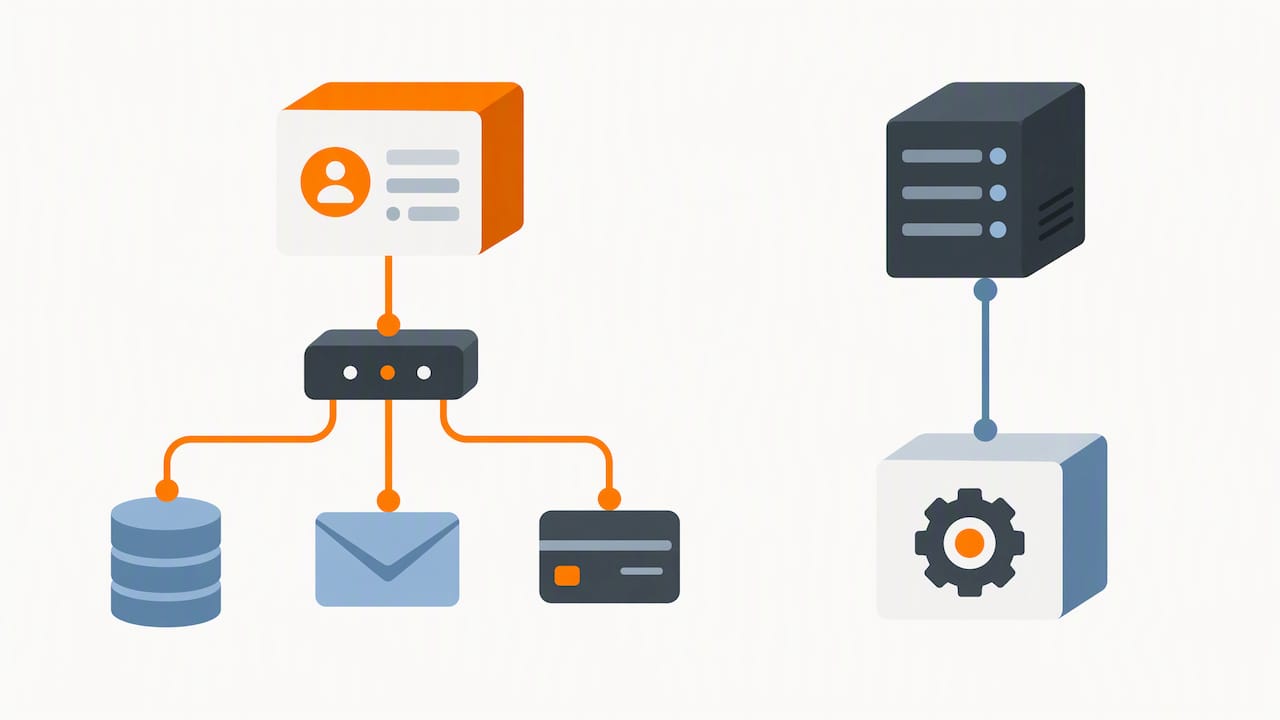
Before signing anything, check what a product can actually connect to, not what the sales deck implies it can connect to. Ask for the API documentation directly, not a summary of it, and find out whether common connectors to your accounting, payroll or ERP systems already exist or need to be built from scratch through middleware. A product with a thin API and no existing connector to your accounting software can turn a “quick setup” into a quiet, expensive integration project.
Data migration deserves its own plan, not an afterthought squeezed into the final week before go-live. A sound migration plan typically covers:
- An inventory of every data source, including spreadsheets and systems nobody mentions until the last minute.
- A cleanup pass to remove duplicate or outdated records before they migrate into the new system.
- A rehearsal migration on a copy of the data, to catch formatting and mapping errors before the real cutover.
- A rollback plan, agreed in advance, in case the live migration surfaces a problem nobody anticipated.
We cover this process step by step in our SME data migration plan with rehearsed rollback, which is worth working through before committing to any migration date.
A packaged product paired with middleware is usually the right call when your integrations are common ones, accounting software, email marketing or standard payment gateways, since middleware tools exist precisely to bridge these without custom code. Custom connectors, and by extension a stronger case for a bespoke build, become justified when your systems are unusual, legacy or built in-house, because no middleware tool is going to bridge something that was never designed to be connected in the first place.
Scalability, flexibility and long-term maintenance
Packaged products scale in a particular way: adding users, modules or storage usually means a higher subscription tier, and that cost climbs steadily as your team grows. It is worth asking a vendor directly what the fee looks like at twice your current headcount, because many packaged tools are priced attractively at small scale and considerably less so once you cross a threshold.
Custom builds scale differently. The software itself can grow with your workflow without per-seat penalties, but someone has to own ongoing maintenance.
- In-house ownership suits businesses with existing technical staff or the budget to hire them, giving full control over changes but requiring sustained capability.
- Vendor-maintained contracts suit businesses that want the flexibility of custom software without building an internal team, shifting day-to-day upkeep to whoever built the system.
- Hybrid support arrangements, where a developer remains on retainer for periodic updates rather than full-time maintenance, suit SMEs whose systems are stable and need only occasional attention.
An adapted product often strikes the most practical balance here: it starts from a proven foundation, so maintenance is lighter than a full custom build, yet it flexes to your workflow in ways a rigid packaged tool cannot. For SMEs unsure whether their needs justify the commitment of a full build, this middle route tends to be the one worth testing first.
Security, privacy and ‘secure by design’ considerations
Whether you choose packaged, custom or adapted software, the security questions you ask should not change. Request evidence that whoever builds or maintains your CRM follows secure development practices, manages vulnerabilities proactively and can produce some form of attestation to that effect. Secure-by-design procurement guidance recommends asking software suppliers directly about their development practices and supply-chain controls, treating security as a core design principle rather than an afterthought, as outlined in cyber supply chain assurance guidance.
NIST’s software security guidance for producers and users recommends that suppliers attest to secure development practices and names controls such as software bills of materials, vulnerability management and open-source component checks as factors to require of any vendor or developer, per NIST’s supply chain security guidance. This applies equally to a packaged subscription and a bespoke build: the question is never “is it custom or off-the-shelf”, it’s “can this supplier show us how they manage security”.
Beyond development practices, insist on clear answers for:
- Access controls that limit who inside your business, and the vendor’s business, can see customer data.
- Audit trails that record who accessed or changed records, and when.
- A clear, documented process for deleting data when a customer or contract requires it.
- Hosting location and contractual responsibility for data governance, since the controller remains accountable for compliance whether the software is custom-built or purchased off the shelf.
Data protection by design guidance recommends mapping every data-processing activity to its actual purpose and switching off any product feature that falls outside that purpose, a discipline worth applying before go-live rather than discovering gaps afterwards.
How to choose: a practical checklist for decision-makers
Start with a workflow-first mapping exercise before looking at a single product or quote. List every step your team actually takes from first contact to closed deal or completed service, and mark which steps are standard practice versus genuinely unique to how you operate. That list, not a feature comparison chart, is what should drive the decision.
From there, score your realistic options against the same criteria:
- Integrations needed: how many of your existing tools must connect, and how standard are they?
- Timeline pressure: do you need to go live in weeks, or can the business absorb a longer build?
- Budget shape: can you commit a larger sum upfront, or does a recurring subscription suit cash flow better?
- Maintenance capacity: do you have, or want, in-house technical ownership of the system?
- Data rules: do your compliance obligations demand specific hosting or access controls a packaged tool may not offer?
A simple decision rule follows from the scoring: if most workflow steps are standard and the timeline is tight, a packaged or configurable platform wins. If several steps are genuinely unique, stable and tied to how you compete, a custom or adapted build earns serious consideration, even at a higher upfront cost.
Publisher perspective: workflow-first practical approach
Most SMEs do not need a custom build, and saying so plainly is worth more than a sales pitch that suggests otherwise. The workflow-first app fit review we run exists precisely because the honest answer, for a lot of businesses, is a ready or adapted product rather than something built from the ground up. We would rather tell a client that an existing foundation already covers most of what they need than talk them into a longer, costlier project that solves the same problem less efficiently.
The real cost of skipping this step isn’t just money, it’s the months spent building something a configurable platform could have handled from week one. A short, honest fit review, done before any contract is signed, consistently saves more than it costs to run.
If you are starting this process, begin with the workflow mapping exercise above before taking a single call with a vendor or developer. The outcome we aim for in a review is a clear recommendation, backed by what your workflow actually needs rather than what a feature list promises.
— Ronald
How FlowLab helps: app fit reviews and routes to delivery
We start every engagement the same way: by understanding your operational workflow before recommending anything, which means we are just as likely to point you towards a ready product as towards a custom build. Our complimentary app fit review maps your process and recommends one of three routes: a ready product such as POSFlow, QueueFlow, EventFlow or LeadsFlow, an adapted version of one of these foundations, or a custom web app built around your workflow.
You leave the review with a recommended route, early direction on likely cost, and the confidence that nothing discussed leaves the room without your agreement.
To get started:
- Request a complimentary app fit review through our products overview.
- Share your current workflow steps, including the ones that feel non-standard.
- Receive a recommendation and initial cost direction before committing to anything.
FAQ
What’s the main difference between operational and analytical CRM?
Operational CRM focuses on day-to-day processes like sales tracking, service tickets and marketing automation, while analytical CRM focuses on analysing customer data to spot patterns and inform decisions. Most SME CRM products blend both to some degree, with the balance depending on the specific tool.
How does custom software differ from off-the-shelf software in practice?
Custom software is built around your exact workflow from the ground up, giving unlimited fit but requiring a longer build and ongoing maintenance ownership. Off-the-shelf software is ready to use immediately with a fixed feature set, trading some fit for speed and a lower upfront cost.
Is a tool like Monday considered a CRM or a CMS?
Tools in this category are generally configurable work management platforms that can be set up to handle CRM-style pipelines, but they are not a dedicated content management system. Whether one functions as a CRM for your business depends on how it’s configured, not on its original category label.
What’s the difference between a CSR and a CRM?
A CSR, or customer service representative, is a person who handles customer interactions, while a CRM is the software system used to record and manage those interactions. The two work together: the CSR uses the CRM as a tool, rather than the CRM replacing the role.
When should an SME choose adapted software instead of fully custom or fully off-the-shelf?
An adapted product suits SMEs whose workflow is close to, but not identical to, an existing foundation, since it avoids the full cost and timeline of a custom build while still fitting better than a rigid packaged tool. A workflow-first review, such as the one we run as a complimentary app fit review, is the most reliable way to confirm whether this middle route fits your specific process.
Sources
- How to Plan for a Successful HubSpot Implementation
- Guidelines 4/2019 on Article 25 Data Protection by Design and by Default
- ENHANCING CYBER SUPPLY CHAIN ASSURANCE: A DISCUSSION ON THE SECURE SOFTWARE ACQUISITION GUIDE
- Software Security in Supply Chains: Software Cybersecurity for Producers and Users | NIST