
Scope creep is managed with three habits: write down exactly what is in and out of scope before work starts, route every new request through a short change process, and make each “yes” carry a trade-off in cost, time or other features. None of this needs heavy project management software. For a small business commissioning an app, a one-page scope, a shared change log and a named decision-maker are enough to keep a project on its original budget and timeline.
This guide is written for Singapore SME owners and managers who are building or commissioning an internal tool, a web app or a workflow automation. It uses plain examples, a simple change request template and a checklist you can use this week.
TL;DR
- Scope creep is extra work added without a matching decision on cost, time or resources. A formal, approved change is not scope creep.
- Most of it starts before the project does: vague scope, no stated exclusions, and no single person who can say yes.
- Write a short baseline with deliverables, milestones and a clear “not included” list, and have both sides sign it.
- Run every new request through five steps: log it, classify it, assess the impact, approve it in writing, and close it.
- Where a ready-made product already does the job, adapting it is usually the simplest way to keep scope small.
Table of Contents
- What scope creep is, and what it is not
- Why scope creep happens
- Warning signs to watch for
- Scope creep examples in small business apps
- Prevent scope creep before the project starts
- Scope control techniques once work is under way
- Choosing the commercial model that supports scope control
- Perspective: Ronald on keeping app scope small
- How we help SMEs keep scope under control
- A one-page scope checklist
- FAQ
- Sources
What scope creep is, and what it is not
PMI describes scope creep as work that falls outside the agreed scope or charter, taken on without approval from the sponsor or project manager and without agreement on additional payment. A scope change, by contrast, is any change or addition that the project manager or sponsor has acknowledged and approved.
That distinction is the most useful thing to hold on to. Changing your mind is normal. Businesses learn as they go, and a good build should respond to what you discover. The problem is the change nobody priced, nobody approved and nobody wrote down.
A quick test: if you cannot say who approved a piece of work, what it cost and what it displaced, it is creep.
The Center for Project Innovation frames it as a zero-sum game: the client receives extra value, and the project team pays for it with time and resources. In an SME project, that cost usually lands in one of three places: a late launch, a higher final bill, or a rushed build that is harder to maintain.
Why scope creep happens
PMI’s research on the topic points to a handful of recurring causes: ambiguous scope, weak requirements management, inconsistent requirements gathering, little sponsor or stakeholder involvement, and long project duration. In small businesses, these show up in familiar ways.
No one owns the decision
When the owner, the operations manager and the finance lead each send requests directly to the developer, the project has three scopes. Pick one decision-maker for the project and make everyone else’s input go through them.
The scope was a sentence, not a document
“A booking app for our clinic” can mean a calendar, or it can mean a calendar plus reminders, payments, staff rosters and a patient portal. If the scope only exists in a conversation, each person remembers a different version.
Requests arrive politely and informally
Most creep is not a dispute. It is a friendly message: “Could we also add a small report?” Each one looks tiny. Ten of them are a different project.
Pressure from senior or influential people
Adobe’s guidance notes that failing to hold a line when influential clients or stakeholders push for more can lead to uncontrolled expansion of work. The fix is not to refuse. It is to give every request the same short process, whoever it comes from.
Teams do not push back on time and budget
PMI notes that IT managers often fail to negotiate more time and budget when requests for extra functionality arrive, and the scope simply creeps. A “yes” without a conversation about cost is the most common route.
New tools and new ideas mid-project
TechTarget points out that technology shifts, such as the rapid adoption of new AI tools, can trigger sudden changes in customer-facing projects if they are not governed. A competitor launching a chatbot is a reasonable reason to rethink your plan, but it is a reason to run a change request, not to quietly add it to the current sprint.
Warning signs to watch for
You rarely see creep on the day it starts. You see its effects. TechTarget lists unplanned design changes, poor documentation, recurring unresolved issues, stakeholder feedback loops, missed deadlines and budget overruns as typical signals.
In plain terms, check for these in your own project:
- The list of features is longer than the one in the signed scope, but nobody has updated the scope.
- The same issue keeps reappearing in meetings without an owner or a decision.
- Demos produce a fresh list of “small things” every time.
- Milestones keep moving by a few days, with no explanation.
- Someone says “it should be quick” about a request nobody has estimated.
- You cannot find a written record of why a feature was added.
If two or three of these ring true, pause and run a scope review before the next build cycle.
Scope creep examples in small business apps
Examples are easier to spot when they are concrete. These are illustrative scenarios, not case studies of real clients.
The approval screen. A retailer asks for an internal stock request tool. Halfway through, the manager asks for an approval step so supervisors can sign off orders. It sounds minor, but it adds roles, permissions, notifications and testing.
The extra report. A service company has agreed a job-tracking app with one dashboard. Each week someone asks for a variation: by technician, by month, by customer type. Each report needs its own data checks.
The connection to another system. A café group wants a simple ordering tool, then asks that it feed its accounting software automatically. Integrations bring their own testing, error handling and maintenance.
The “while you are at it” feature. An events team has an agreed registration form. Then they ask for QR check-in, then badge printing, then a post-event survey. Each is sensible. Together they are a second project.
The platform change. After the design is approved, the team decides the app should also work as a native mobile app. That is not a feature. It is a different build.
Notice what these have in common: every request is reasonable on its own merits. What makes them creep is that they bypass the question, “What does this do to cost, time and the rest of the plan?”
Prevent scope creep before the project starts
The cheapest place to manage scope is before any code is written. Three pieces of preparation make the biggest difference.
1. Start from the workflow, not the feature list
A feature list invites additions. A workflow description sets a boundary: who does what, in which order, and what the output is. Write down the one process the app must improve, such as “take a booking, confirm it, remind the customer, record attendance”. If a request does not serve that process, it is a candidate for a later phase.
2. Define deliverables, timeline and resources
One practical Singapore-based write-up recommends defining deliverables, timelines and resource allocations clearly, and engaging stakeholders early so expectations line up. For an SME app, a one-page baseline should include:
- the workflow being improved and the problem it solves
- the screens, user roles and reports included
- the systems it connects to, if any
- milestones and what you will review at each
- the number of review rounds included
- the named approver on your side
3. Write the exclusions down
The Center for Project Innovation says that stating what is out of scope is as important as defining the deliverables. This is the line most SME scopes lack. Examples: “No native mobile app”, “No integration with accounting software in phase one”, “No data migration beyond the current year’s records”. Exclusions are not negative. They are the list you open when someone asks for something new.
Trace every requirement to a business need
PMI recommends a requirements traceability matrix, which links each requirement back to a project objective. You can do this in a spreadsheet with three columns: the requirement, the business need it serves, and who asked for it. If a request cannot be tied to the objective, it goes on the later list.
Be clear on who else is involved
Some requests come from outside the project team, such as your IT support provider, your landlord’s building system or your payment provider. Agree early who owns each dependency. If your project touches infrastructure and support, a guide on choosing managed IT services can help you decide which responsibilities sit with your IT provider and which with the app builder, before they turn into mid-project requests.
Scope control techniques once work is under way
No scope survives contact with real users unchanged, and it should not have to. What matters is how change is handled. The UK Government’s Teal Book treats change control as a core governance activity, designed to ensure that only beneficial or necessary changes are made and the baseline is protected. The same principle works at SME scale, with far less paperwork.
A five-step change process for small teams
- Log it. Every request goes into one shared place, such as a spreadsheet or a simple ticketing board. Avoid settling changes in chat or at the end of a call, because the record of who approved what and why disappears.
- Classify it. Is it a fix for something that does not match the agreed scope (a defect), a clarification of the scope, or genuinely new work?
- Assess the impact. What does it do to cost, schedule and other deliverables? Atlassian’s guidance recommends assessing cost and schedule impact for every request and getting formal, documented approval.
- Decide in writing. The named approver says yes, no or later. A “yes” should carry a trade-off: more budget, more time, or something else leaves the plan. Atlassian makes the same point: any yes should include a trade-off, such as dropping another requirement.
- Close it. Update the scope document, confirm with the builder, and mark the item done.
Questions to ask for each request
Microsoft’s project guidance suggests asking how a new request fits the scope, what it does to dependencies, and whether something existing must be sacrificed to keep the original deadline and budget. In practice, ask:
- Which part of the agreed workflow does this support?
- What breaks or moves if we add it?
- Can it wait until after launch?
- Is there a simpler way to meet the same need?
- Who is paying for it, in money or time?
A simple request triage table
| Type of request | Example | Usual response |
|---|---|---|
| Defect | Button does not save as agreed | Fix within the original scope |
| Clarification | “Report” meant two columns, not ten | Confirm in writing, no change |
| Small change | Rename a field or reorder a form | Absorb if it is inside agreed review rounds |
| New feature | Approval step, extra report | Change request with cost and time impact |
| New platform or integration | Mobile app, accounting link | Separate phase with its own scope |
Keep the rhythm short
Long projects are more exposed to creep, as PMI’s list of causes includes project length. Break the build into short phases with a working release at the end of each. A short review every one or two weeks gives requests a natural place to be discussed, instead of arriving in a steady drip.
Choosing the commercial model that supports scope control
The contract shapes behaviour. A fixed price with a clear scope gives both sides a reason to define the work properly and to price changes openly. Time-and-materials can suit work that is genuinely exploratory, but needs tighter reporting. If you are weighing the two, our guide on fixed price versus time and materials walks through the questions to ask. The long-term cost picture matters too: a five-year total cost template helps you see which extras are worth paying for and which can wait.
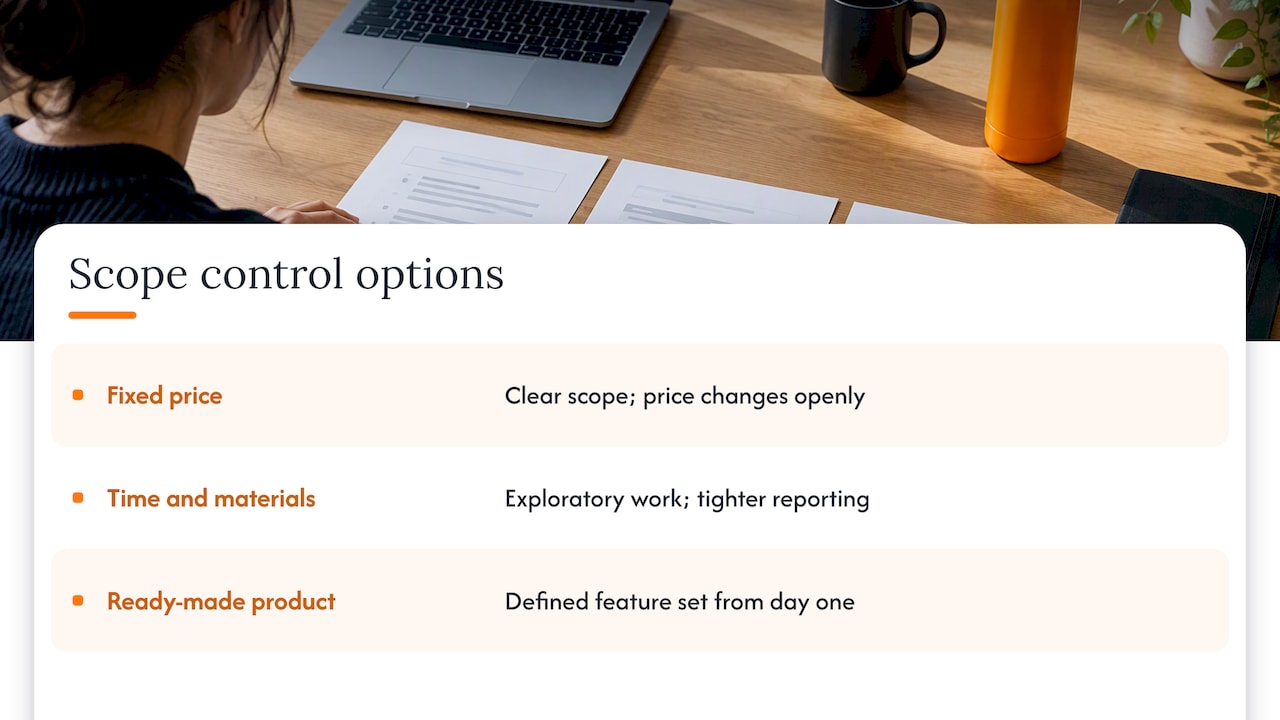
Also consider whether you need a custom build at all. The smallest scope is the one you do not have to write, and a ready-made product that already covers your workflow brings a defined feature set from day one. Adapting that foundation to your process is often simpler to scope than building from nothing.
Perspective: Ronald on keeping app scope small
Most scope problems we see in SME projects start with a request for an app, when the real need is a fixed workflow. So we begin with the workflow, not the feature list.
That review comes first for a reason. Once we understand where time is lost, we can say whether a ready-made product, an adapted product or a custom build is the simplest suitable route. Often the answer is smaller than the owner expected, and a smaller scope is easier to price, easier to finish and easier to maintain.
Our view is that scope control is a kindness to both sides. The client gets clear costs before development begins, and we can build to a plan instead of chasing a moving target. When something new does come up, we write it down, say what it does to cost and time, and let you decide. No pressure, no jargon, and your business details stay confidential throughout.
Ronald
How we help SMEs keep scope under control
At FlowLab, we start with a free app fit review. We look at your workflow, tell you whether a ready product, an adapted one or a custom app is the most economical fit, and give you early cost direction before any development begins. You do not need a technical brief to start.
If your need is a common one, such as point of sale, queues, event registration, lead tracking or attendance, our product lines (POSFlow, QueueFlow, EventFlow, PriceFlow, LeadsFlow and PresenceFlow) give you a defined starting point. If your process is unusual, we scope a custom build with exclusions written in.

To see how we work with Singapore businesses, read about app development for SMEs or internal tools development, or talk to us about an app fit review ↗.
A one-page scope checklist
Before you sign anything, check that your scope document answers these:
- What workflow does the app improve, and how will you know it worked?
- Who are the users, and what can each role do?
- Which screens, reports and notifications are included?
- Which systems does it connect to, and which are excluded?
- How many review rounds are included in each milestone?
- What is explicitly not included?
- Who is the single approver on your side?
- How are changes requested, priced and approved?
- What happens to ideas that are good but not now?
If you cannot answer one of these, that is where creep will come from.
FAQ
What is the difference between scope creep and a change request?
Scope creep is extra work taken on without approval and without agreement on cost or time. A change request is the formal route for the same idea: it is assessed, priced and approved before work starts. The idea can be identical. The difference is the process.
How do I say no to a request without damaging the relationship?
Say “yes, and here is what it does to the plan” rather than a flat no. Show the cost, the timing and the option to defer it to a later phase. Most people accept a trade-off when it is laid out clearly and the same rule applies to everyone.
Is all scope change bad?
No. Learning mid-project that a feature is needed, or that another is not, is healthy. The aim is to make changes deliberately, with the cost visible, so the overall result still serves the business objective.
What should a small business track to catch scope creep early?
Keep a single log of requests with the date, the requester, the impact and the decision. Compare the current feature list against the signed scope at every milestone. Missed milestones, a growing list of small items and undocumented decisions are the earliest signs.
Sources
- Command and control: preventing scope creep, PMI
- Top five causes of scope creep and what to do about them, PMI
- What is scope creep?, TechTarget
- Scope creep, Center for Project Innovation
- What is scope creep and how to avoid it in projects, Adobe
- The Art of Staying Focused: Practical Strategies to Avoid Scope Creep, Objective Singapore
- Scope Creep in Project Management: How to Manage It, Atlassian
- Best practices for managing project scope, Microsoft Support
- Chapter 22: Change control, Government Project Delivery
- Managed IT Services Selection Guide for Business Leaders, 247Techify